


Maintenance requests, handled.
An AI agent takes every request from your residents, gets the details, and has it ready for your team. Turns and preventive maintenance start on their own.
Thought for 6s · 2 steps
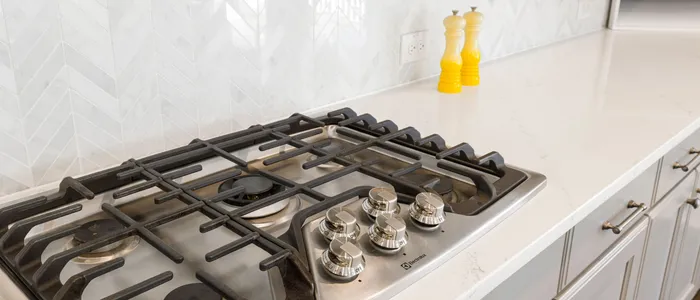
Maya's stove burner won't light. I suggested High: a gas burner that won't ignite should be checked the same day.





From report to repair
- 01
Intake
Requests arrive complete
Residents report it in the app, on the web, or by texting the AI concierge. The agent asks for photos, entry permission, and pets, then writes a summary and a translation for the tech.
Thought for 4s · 3 steps
Maya's stove request is in. I wrote the summary so nobody has to call her back.
- 02
Triage
The right tech, sooner
Overdue and unassigned work rises to the top, and the agent suggests who has the skill, covers the building, and is on shift. Your manager makes the call.
Who should take the stove in 1A?
Thought for 3s · 2 steps
Luis covers appliances at The Union and is free from 2 to 4 PM.
- 03
Follow-through
Live status updates for residents
Residents follow every step in the app, from confirmed to done. Techs and residents message each other right on the request, so nobody has to share a personal phone number.
Thought for 2s · 1 step
Luis asked before replacing the igniter, and Maya said yes, right on her request.

Thought for 4s · 3 steps
Maya's stove request is in. I wrote the summary so nobody has to call her back.
Who should take the stove in 1A?
Thought for 3s · 2 steps
Luis covers appliances at The Union and is free from 2 to 4 PM.
Thought for 2s · 1 step
Luis asked before replacing the igniter, and Maya said yes, right on her request.
Keep every unit ready to lease
- 01
Make-ready
Turns start on notice
When a lease goes on notice in your PMS, the agent opens the turn, schedules the move-out inspection, and creates the work orders. Units at risk of missing the next move-in are flagged.
Thought for 5s · 3 steps
Unit 3C is on notice. I started the turn and lined up 9 tasks before the Nov 20 move-in.
- 02
Inspections
Inspections that turn into tasks
Room-by-room checklists with photos on every item. Anything that fails becomes a work order, and residents book and sign their move-out inspection in the app.
Thought for 3s · 2 steps
The floors didn't pass the move-out inspection. Every answer is logged room by room.
- 03
Preventive
Preventive maintenance on schedule
Set filters, extinguishers, boilers, and dryer vents once. The work orders land on your techs' calendars.
Thought for 4s · 2 steps
HVAC filter changes now run every 3 months. The next one is Nov 3.
Thought for 5s · 3 steps
Unit 3C is on notice. I started the turn and lined up 9 tasks before the Nov 20 move-in.
Thought for 3s · 2 steps
The floors didn't pass the move-out inspection. Every answer is logged room by room.
Thought for 4s · 2 steps
HVAC filter changes now run every 3 months. The next one is Nov 3.
Ask Atlas how maintenance is going
Atlas sees maintenance next to leasing, renewals, and residents, so you get the why behind the numbers, not just the count.
Why maintenance belongs on your Company Brain
A maintenance-only tool sees the ticket. Your Company Brain sees the resident, the life of the unit and the building, and the whole business.
| Compared | Maintenance point solution | Maintenance on your Company Brain |
|---|---|---|
| Resident record | A copy synced from your PMS | One record with the lease, rent, renewal, and every request |
| Where residents report | Your PMS portal or a partner app | The app they already use for rent, packages, and amenities |
| Priority | Based on the ticket | Set by your goals: at-risk renewals, high-value residents, any signal you choose |
| Unit turns | Start at vacant, stop at ready | Tracked against the next resident's move-in |
| Questions you can ask | Maintenance data only | Maintenance next to leasing, renewals, and residents |
| Getting started | Another vendor, contract, and integration | Already on your Company Brain |
Your rules. Its work.
Set how your team runs maintenance once. The agent follows it on every request.
Maintenance agent
- Files requests from a conversation with the AI concierge, asking any follow-up questions
- Flags emergencies like leaks, gas, and no heat, and shares your maintenance line
- Writes a short summary of each request
- Suggests a priority and says why
- Translates requests for your technicians
- Suggests technicians by skill, building, and schedule
What the agent handles
Your team
- Categories and default priorities
- Response and completion times
- Who gets assigned, and when
- Statuses, roles, and permissions
- Whether techs message residents
- Emergency number and after-hours reply
What your team decides
Everything else maintenance needs
Work orders in one view
Service requests, common area work, turns, and inspections in one list.
Make-ready board
Turns start on notice and move from inspection to ready, with at-risk units flagged.
Inspection templates
Move-in, move-out, preventive, and HVAC checklists with photos on every item.
Move-out inspections residents book
Residents pick a time in the app and sign the report on the tech's phone.
Preventive schedules
Recurring work orders and templates for filters, extinguishers, boilers, and more.
Response times by priority
Timers for pick-up and completion, with overdue work flagged.
AI priority with reasons
Suggested from the ticket, the lease, repeat issues, and the last rating.
AI summaries and translation
Short summaries for managers, and every request in the tech's language.
Technician suggestions
The right skill, building, and shift, suggested for each job.
Technician app
Assigned jobs, photos, and status, in the tech's language. Works offline.
Emergency triage
Leaks, gas, and no heat are flagged at intake, with your maintenance line shared.
Vendors
Send work to outside trades and keep their replies on the work order.
Multi-technician jobs
Assign more than one technician to the same work order.
Messages without phone numbers
Techs and residents talk in the app. Personal numbers stay private.
Roles and permissions
Front desk files requests without seeing balances. Techs see only their work.
Calendar
Scheduled work by day, next to leasing appointments and amenities.
Daily briefing
What's overdue, at risk, or waiting on a call, every morning.
Your PMS statuses
Map each status to the ones in your PMS.
Notifications and workflows
Alert the right people for new, critical, or overdue requests.
Activity log
Every assignment, status change, and message, timestamped.
Something missing?
Our forward deployed engineers build the features your team needs, fast.
Build it with us
Connected to the tools you already use
Your property management system and help deskWork orders, categories, unit status, and tickets stay in sync.
Yardi
Property Management SoftwareCategories, work orders, and recurring work come in, and notices start unit turns. Updates sync back.
Entrata
Property Management SoftwareWork orders sync both ways, with statuses mapped to yours.
RealPage
Property Management SoftwareWork orders sync both ways, with statuses mapped to yours.

Zendesk
MaintenanceService requests and their updates flow between Venn and your Zendesk tickets.
See Maintenance live, or keep exploring
Questions about Maintenance
What is Venn Maintenance?
An AI maintenance agent that runs on your Company Brain. It handles work orders, make-ready, inspections, and preventive maintenance, gives technicians their own app, and takes requests from your resident app, web portal, or AI concierge. Every work order sits on the same resident, unit, and lease record as the rest of Venn and syncs two ways with your PMS.
Is Venn property management maintenance software?
It does everything property management maintenance software does: work orders, a make-ready board, inspections, preventive schedules, a technician app, vendors, and two-way sync with your PMS. The difference is that it isn't another tool your team has to drive. An AI agent on your Company Brain takes the requests, gathers the details, triages the work, and keeps residents updated, by your rules.
Can AI coordinate apartment maintenance?
Yes, most of the coordinating. Venn's AI maintenance agent takes requests by text, chat, email, or the app, asks the follow-up questions, flags emergencies, writes a summary, suggests a priority and a technician, and keeps the resident updated until the job is done. It also starts unit turns when a lease goes on notice and creates preventive work orders on schedule. Your team sets the rules and makes the assignments.
What's the difference between maintenance software and an AI maintenance agent?
Maintenance software stores work orders and waits for your team to move them. An AI maintenance agent moves them: it gathers the details, sets up the work, follows up, and reports back, so your team spends its time on repairs and decisions.
Where do our maintenance rules live?
In your Company Brain: your categories, default priorities, response times, statuses, roles and permissions, and emergency line. Work orders sync two ways with your PMS, and the rules that decide how your team works stay in one place you control.
What is a Company Brain?How do residents submit service requests?
However they like. In your branded resident app or web portal, residents choose a category, describe the issue, add photos, and say whether your team can enter and whether they have pets. Or they can tell the AI concierge by text, chat, or email: it asks any follow-up questions and files the request for them, so they never have to open the app or portal.
What does the AI do with a work order?
Venn's AI writes a short summary, translates the request for technicians who work in another language, and suggests technicians by skill, building, and shift. It also suggests raising priority and says why, using three signals: a lease ending within 120 days without a renewal, a repeat issue in the same unit, or a low rating on the last service. Your team accepts or changes every suggestion.
Does Venn have a make-ready board for unit turns?
Yes. When a lease goes on notice in your PMS, Venn starts the turn, creates the move-out inspection and turn work orders, and moves the unit across a make-ready board from notice to ready. Units at risk of missing the next move-in are flagged.
Does Venn handle move-in, move-out, and preventive inspections?
Yes. Build inspection templates with photos on every item, run them one time or on a schedule, and turn failed items into work orders. Residents can book their move-out inspection in the app and sign it on the technician's phone, and the signed report is saved to the work order and the resident's profile.
Can we schedule preventive maintenance?
Yes. Set recurring work orders and templates for filter changes, fire extinguisher checks, boiler service, and other routine work. Venn creates the work orders on schedule.
Is there a mobile app for technicians?
Yes. Technicians see their assigned jobs, notes, photos, and status in their own language, pick up open work, and update jobs from the unit. The app works offline, so updates made in a basement or on a roof upload when the signal comes back.
Does Venn assign technicians automatically?
No. Venn suggests technicians who cover that skill and building and are on shift that day, and your manager assigns. Technicians with the right permission can also pick up unassigned work themselves.
Can we work with outside vendors?
Yes. Keep your vendors on file, assign a work order or a turn task to a vendor, and send them the work by email. Their replies land on the work order, so your team sees the whole history in one place.
Which property management systems does Venn Maintenance work with?
Venn Maintenance syncs two ways with Yardi, Entrata, and RealPage, and with Zendesk for teams that run requests through a help desk. Categories come from your PMS, statuses map to yours, and sync issues are flagged in the Hub.
Can we set response times?
Yes. Set a default priority for each category and time limits for picking up and completing work at each priority. Overdue work rises to the top of the manager's home and the technician app.
Meet your maintenance agent
We'll take one service request from the resident's phone to a completed job.
Book a demo